Documentation
How VidWhisper works
VidWhisper reads the comment section of a YouTube video and turns it into what to make next. This page walks the whole product, in the order you meet it.
Step 1 — Sign in with Google
VidWhisper signs you in with your Google account. That account holds your credits and your history — it does not connect your YouTube channel, and no YouTube permission is requested at sign-in.
- A new account starts with 12 free credits. They are a one-time pool, not a monthly one.
- You are asked to accept the terms once, before anything else works.
Step 2 — Paste a YouTube video link
Drop the URL of any public YouTube video into the box and press Analyze. It does not have to be your video — analysing a competitor's video is the same one credit and the same output.
- It reads the video's top-level comments, up to your plan's cap — see the plan table below.
- One video insight costs 1 credit. If the analysis fails partway through, the credit is refunded.
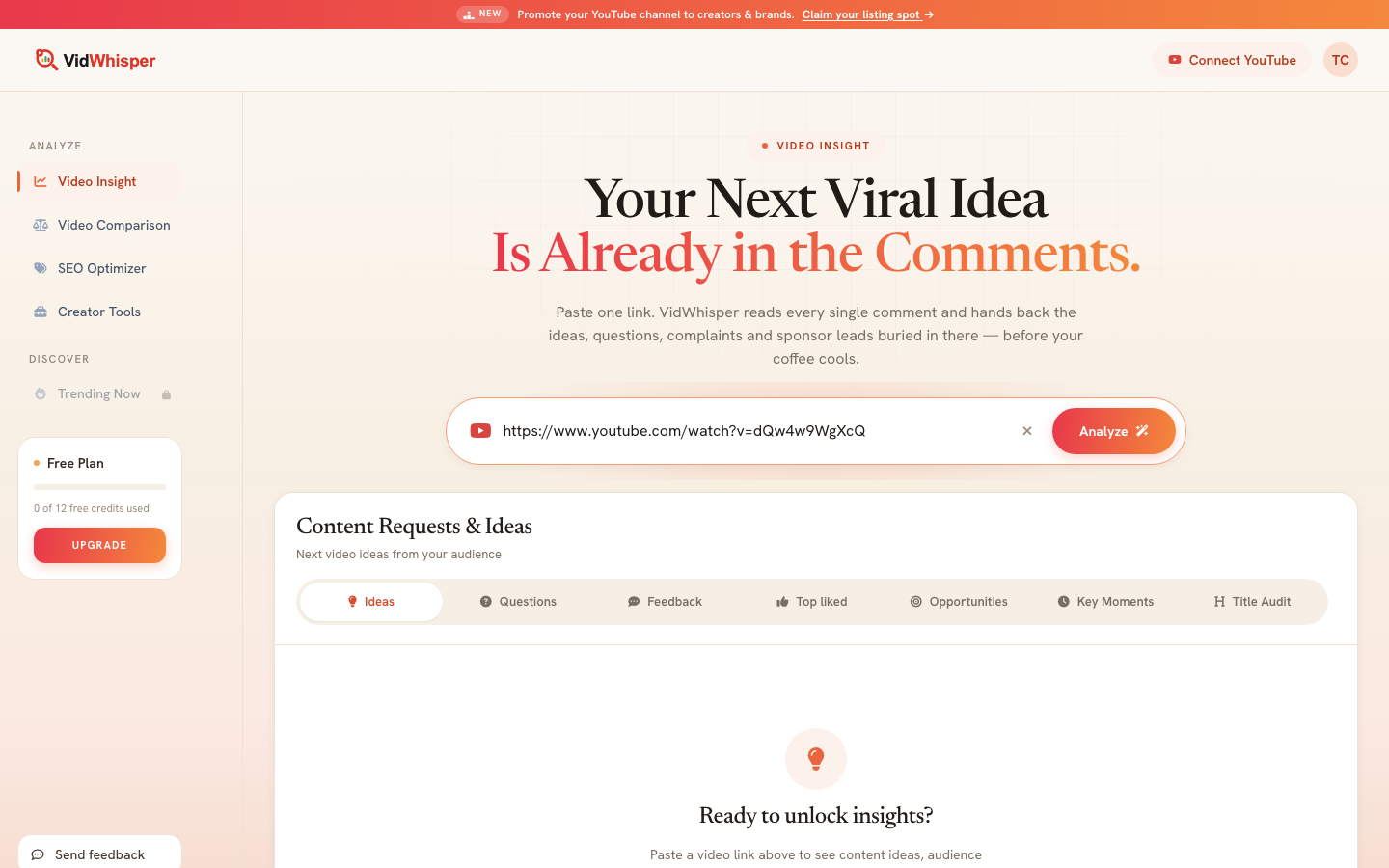
Step 3 — Read what came back
The result is one dashboard with seven tabs. Each answers a different question about the same comment section.
- Ideas — content viewers actually asked for.
- Questions — what gets asked again and again, with a reply for each.
- Feedback — what viewers praised and criticised.
- Top liked — the comments that earned the most engagement.
- Opportunities — sponsorship and collaboration messages buried in the thread.
- Key Moments — the timestamps viewers typed themselves.
- Title Audit — whether the title landed, and better ones in your viewers' words.
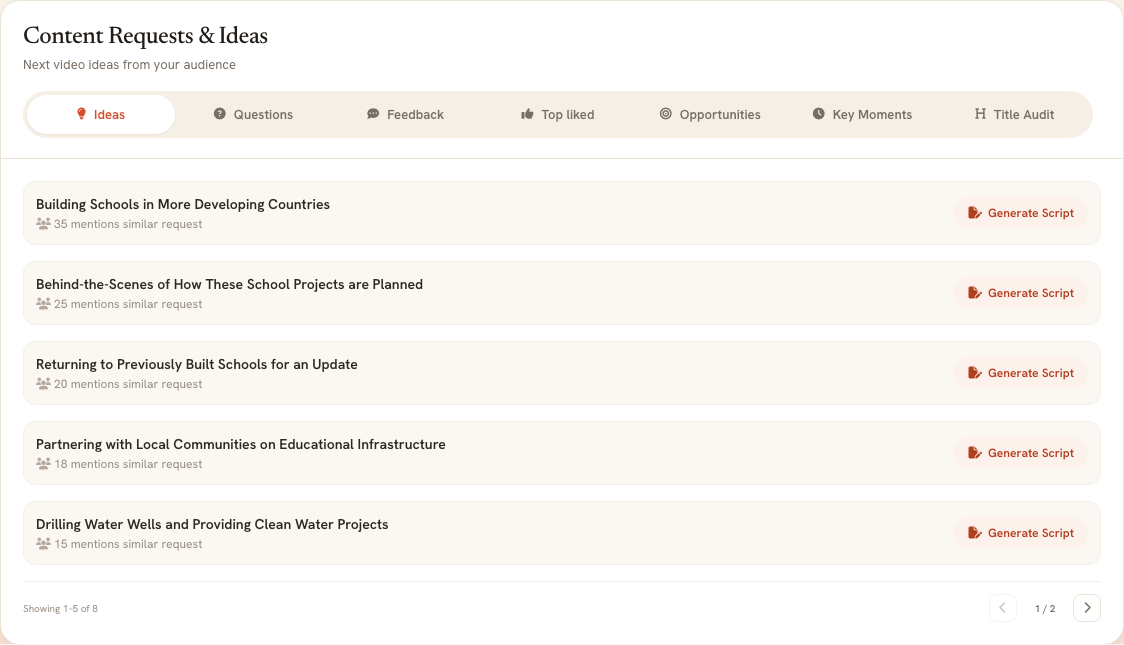
1. Ideas — Next-video ideas, ranked by how many viewers asked for them.
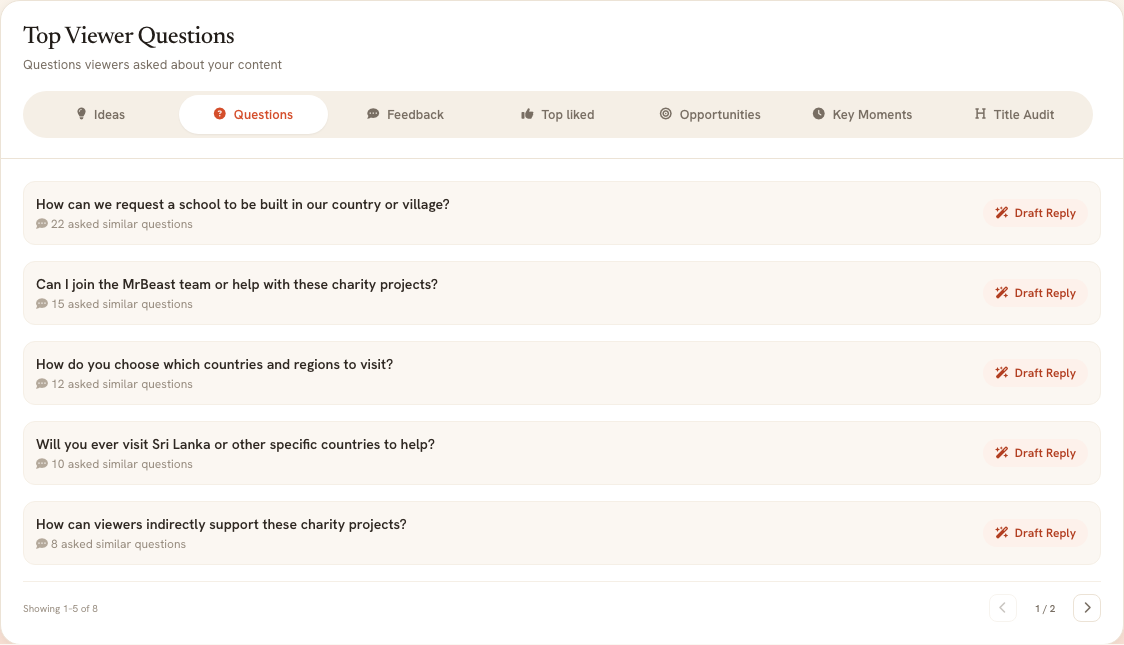
2. Questions — The questions asked over and over, grouped and counted.
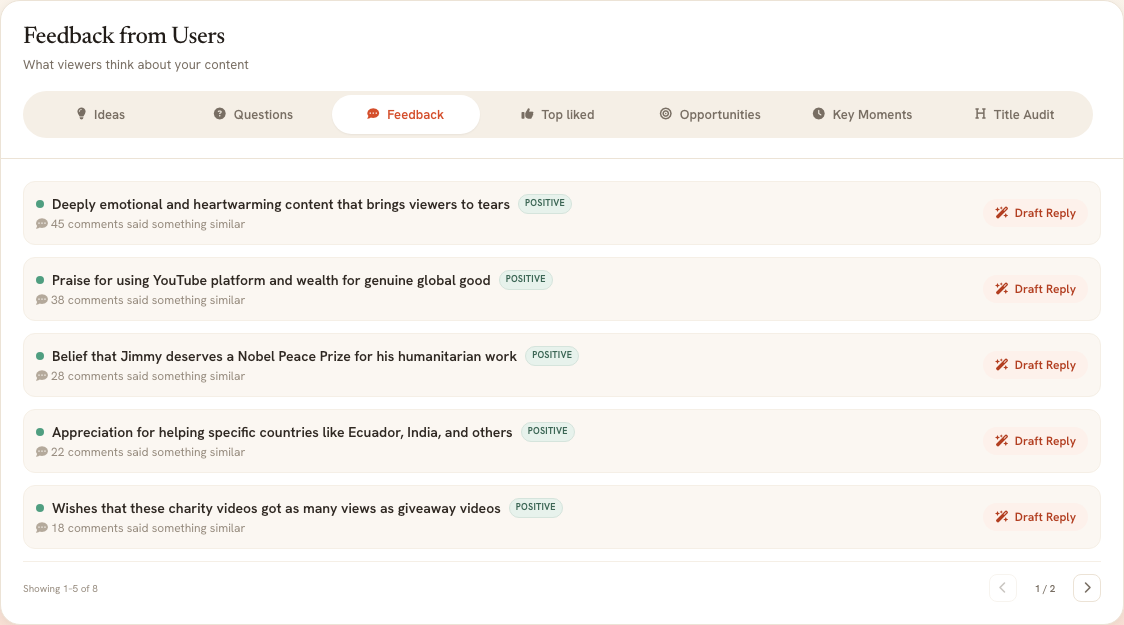
3. Feedback — Praise and criticism, each tagged and counted.
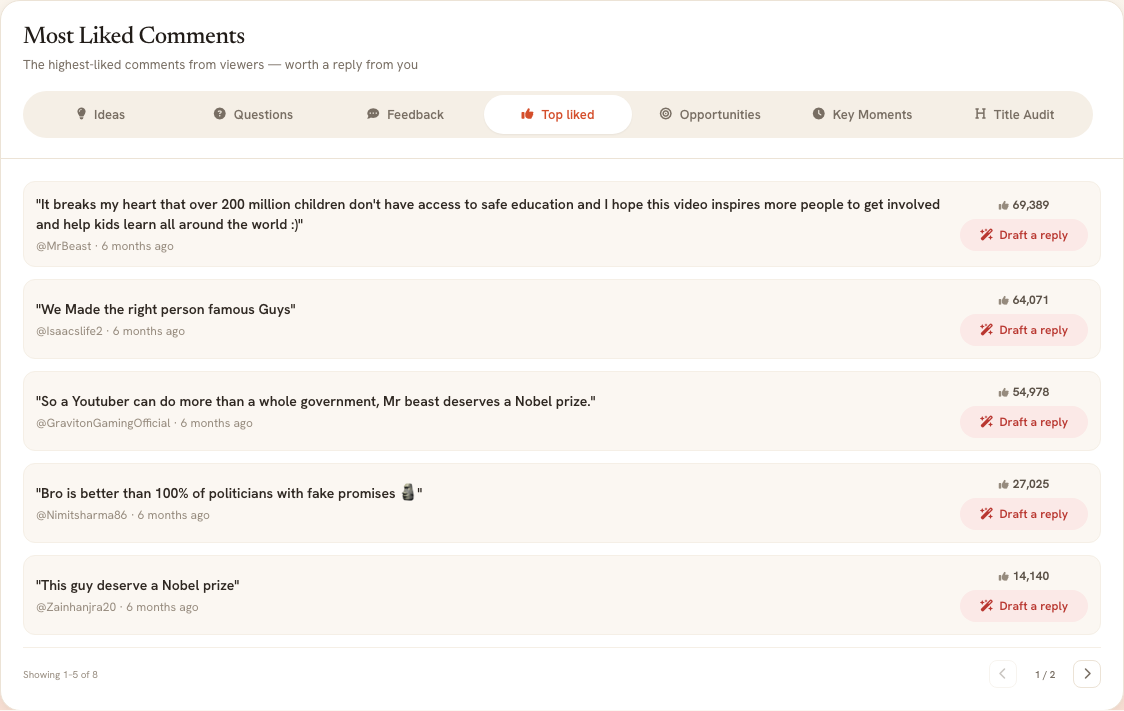
4. Top liked — The comments that earned the most engagement, worth a reply.
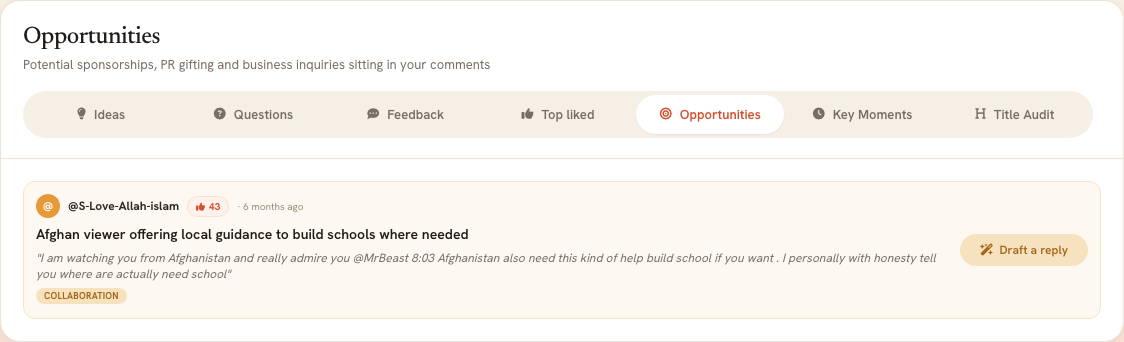
5. Opportunities — Sponsorship and collaboration messages buried in the thread.
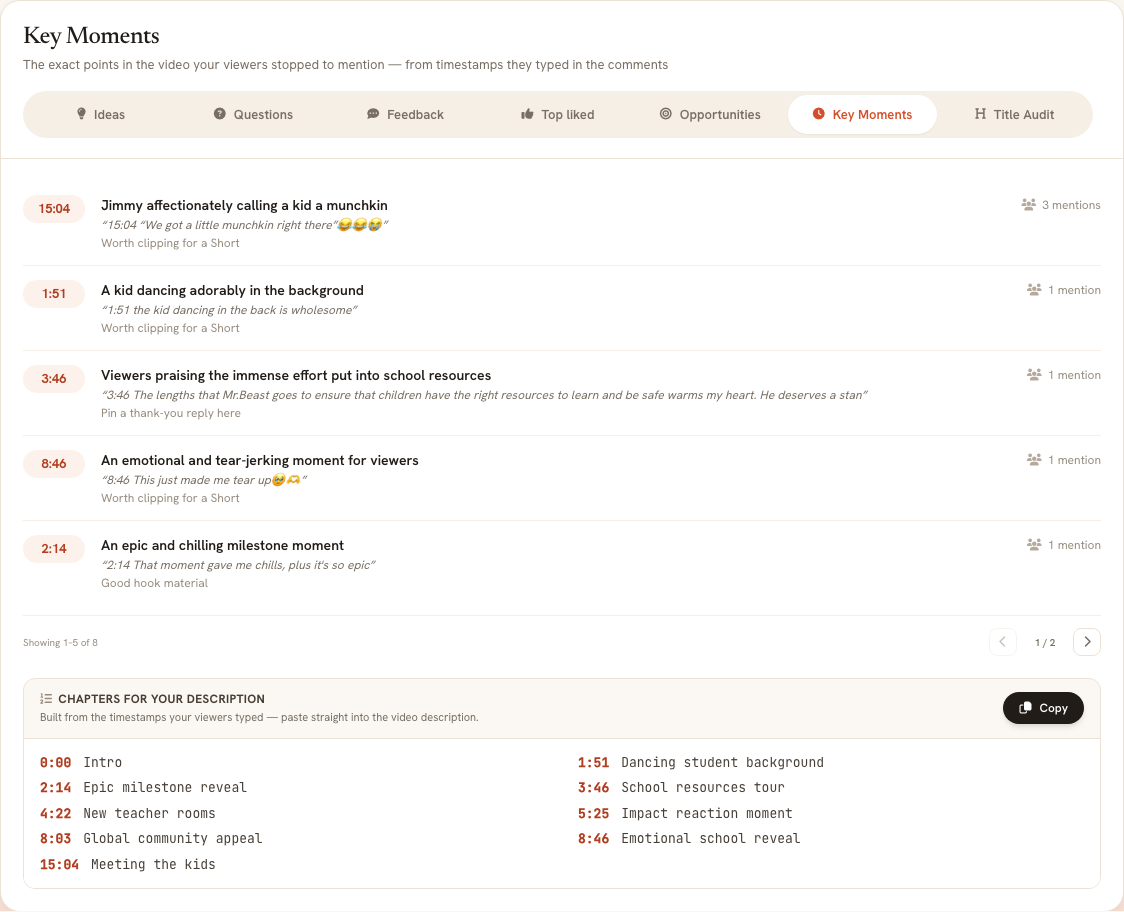
6. Key Moments — The timestamps viewers typed, plus chapters ready to paste.
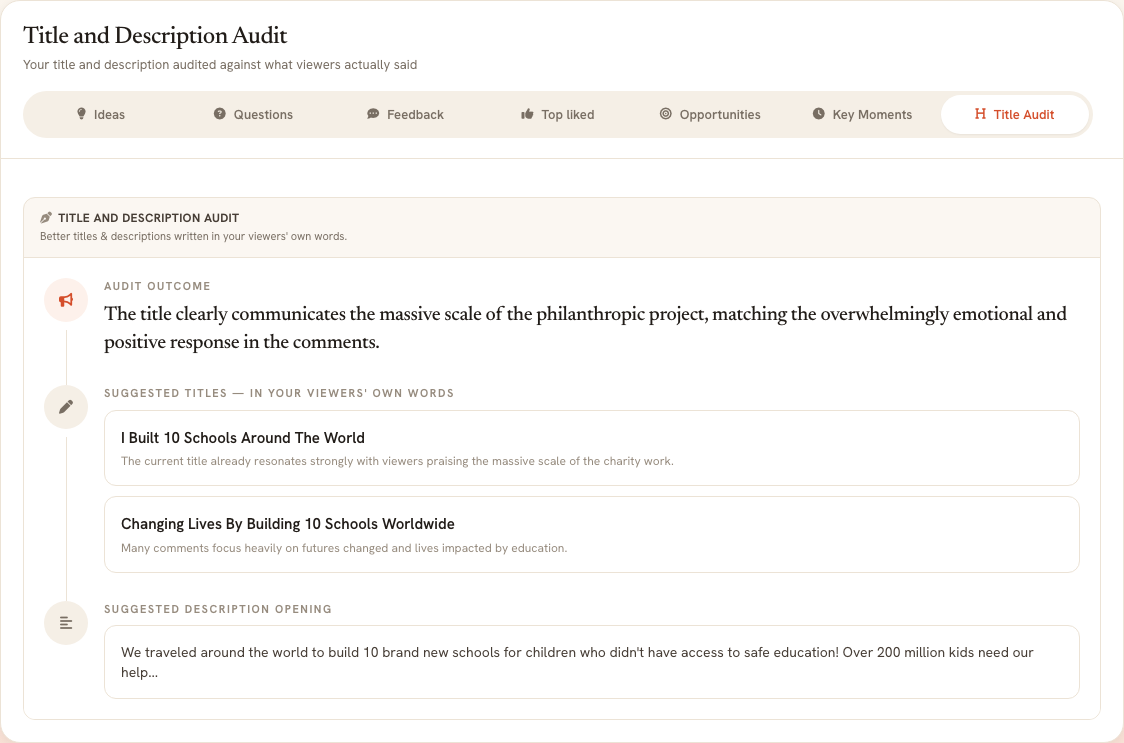
7. Title Audit — Whether the title landed, and better ones in your viewers’ words.
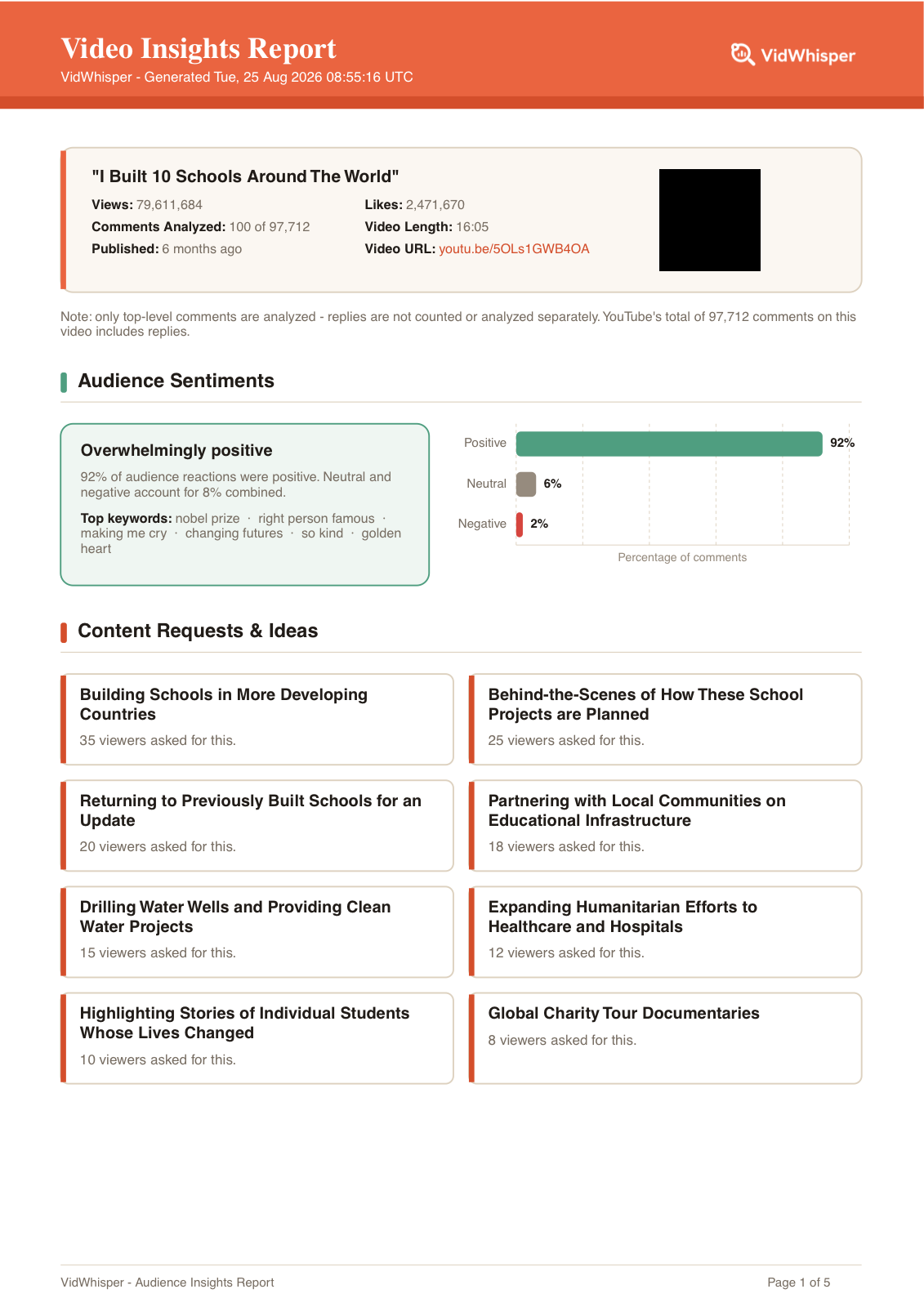
8. The PDF report — Generate Report exports the whole analysis as a PDF, on every plan.
Step 4 — Turn an insight into work
Every panel has an action attached, so a finding does not stop at being interesting.
- Generate Script on a content idea writes a 60-second script — hook, body and call to action. Costs 1 credit.
- Draft a reply writes a reply to a specific comment for you to copy and send. VidWhisper never posts to YouTube for you.
- Chapters turns the key moments into timestamp lines you can paste straight into a description.
- Generate Report exports the whole analysis as a PDF, on every plan including Free.
Comparing two videos
Paste two links and both comment sections go through the identical pass, so the verdict rests on the numbers rather than on which video you were rooting for. It reports who loved each video and who showed up, then names the winner and why. A comparison costs 2 credits.
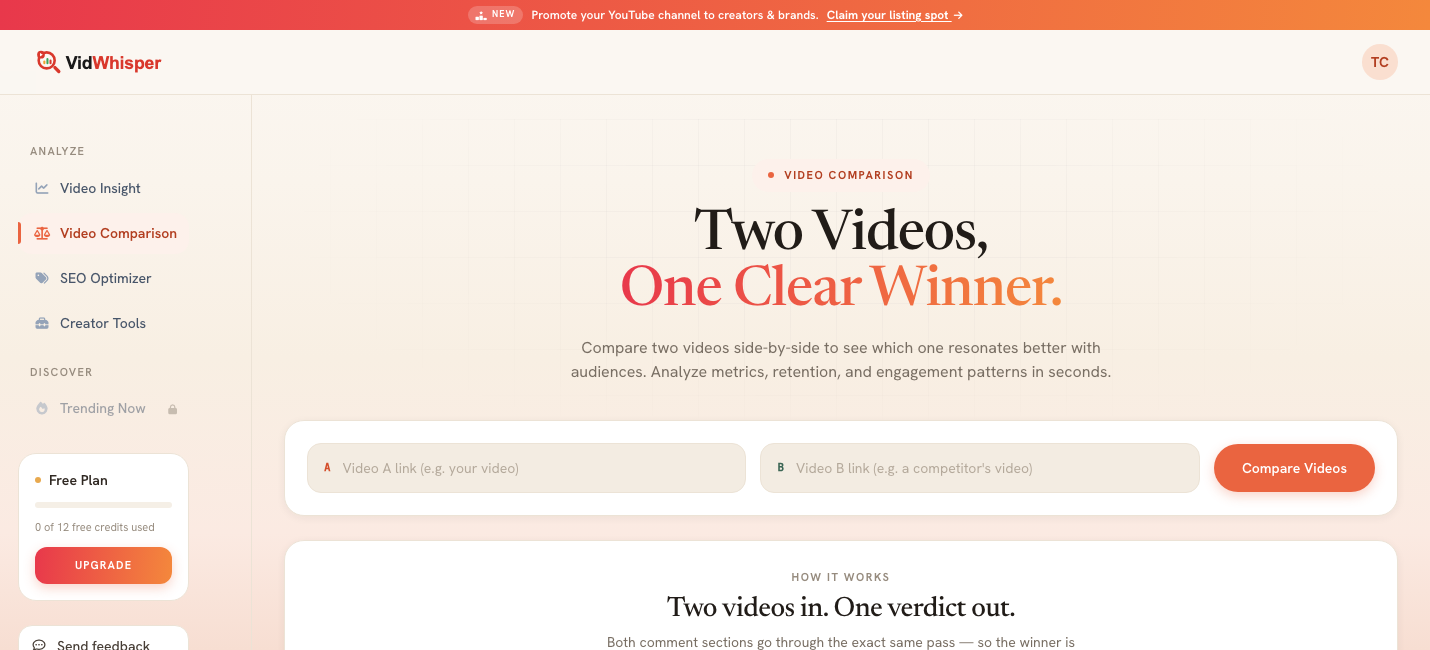
1. Two links in — Your video and theirs. Both comment sections go through the identical pass.
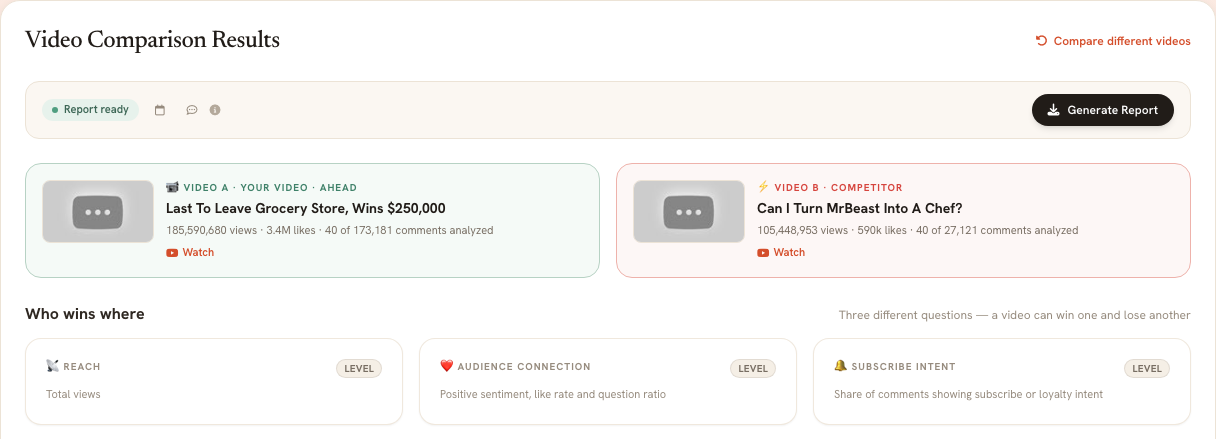
2. The verdict — Three separate questions — a video can win one and lose another.
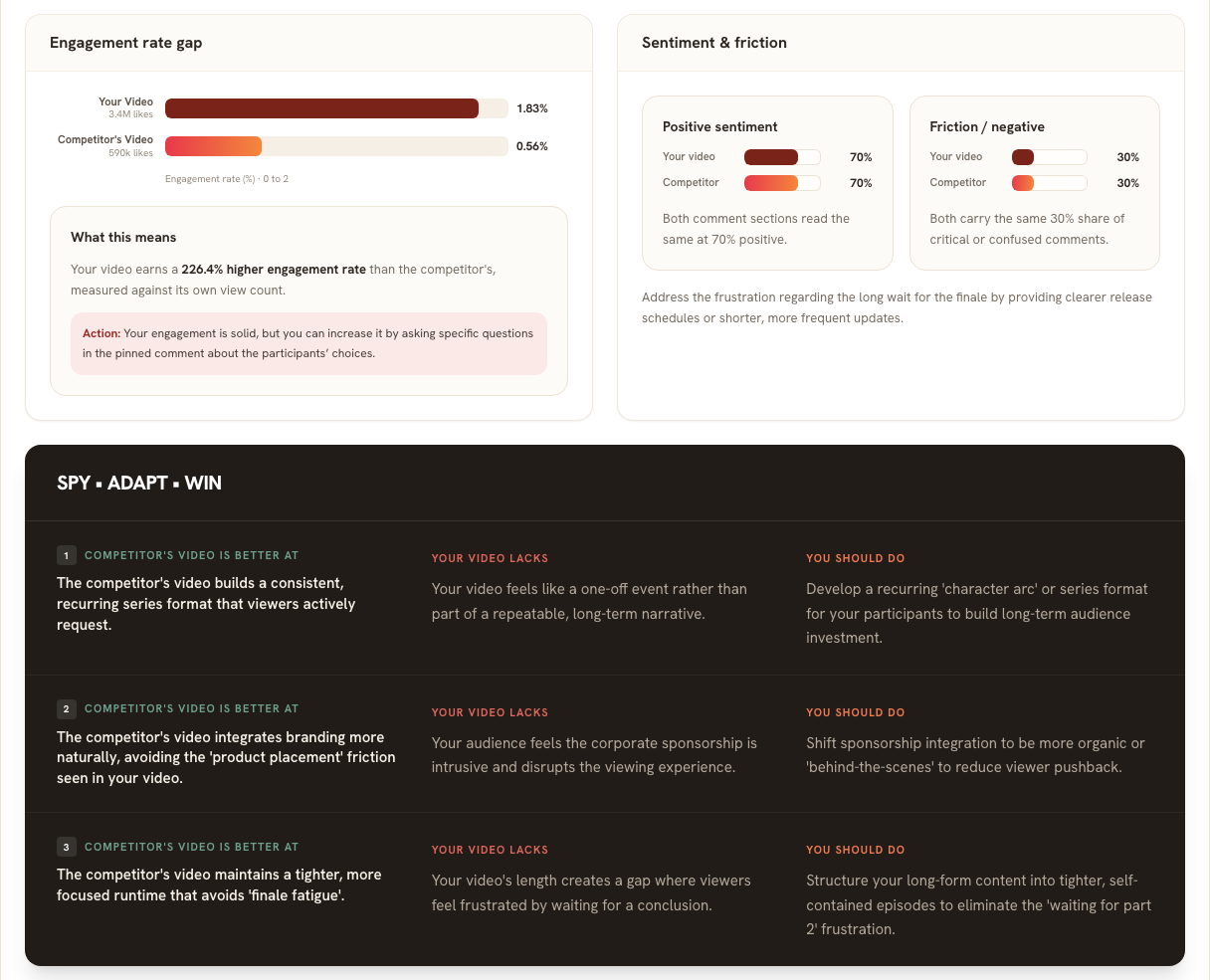
3. The gaps — Where the other video is ahead, what yours lacks, and what to do about it.
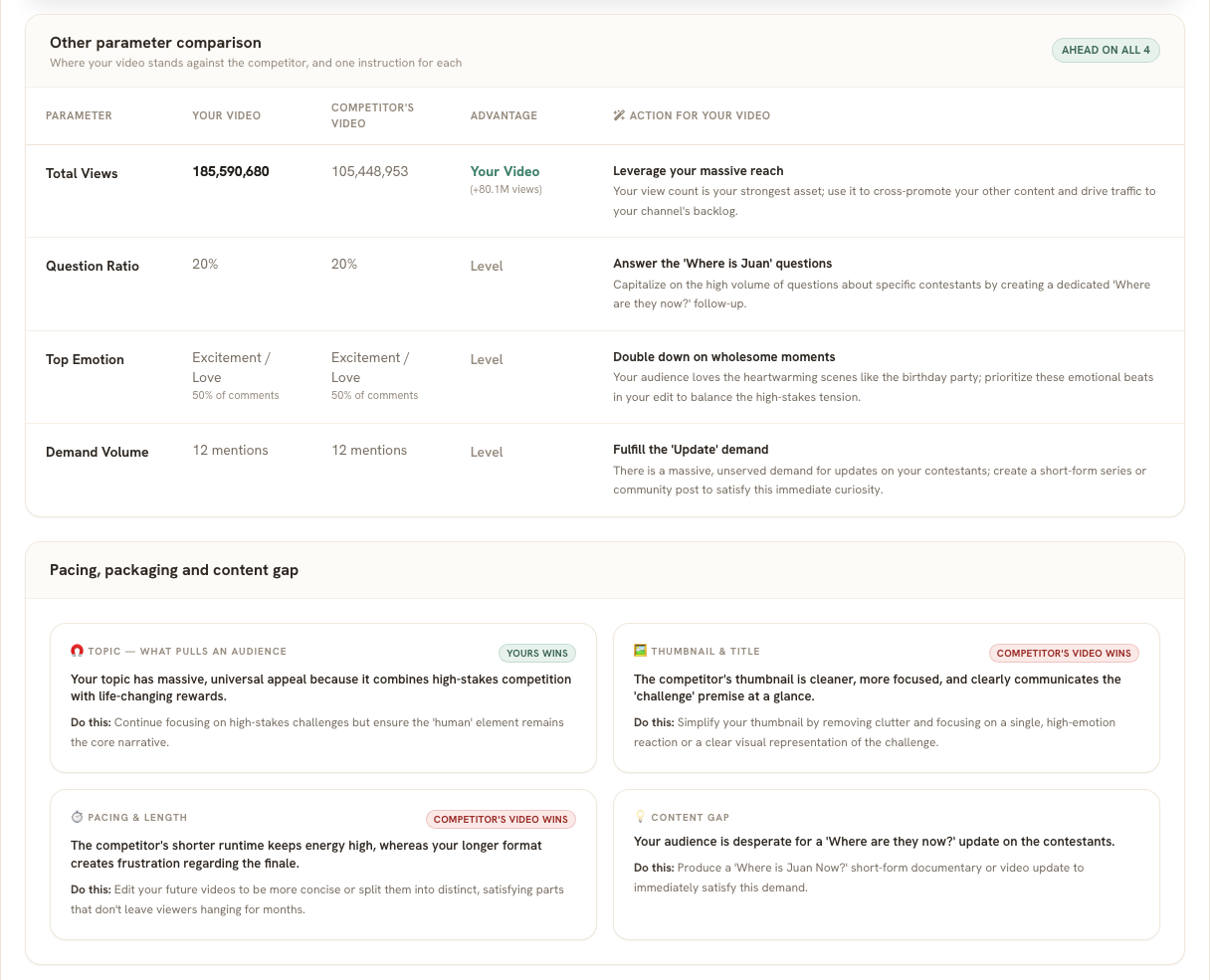
4. Every parameter — Every parameter side by side, each with one instruction attached.
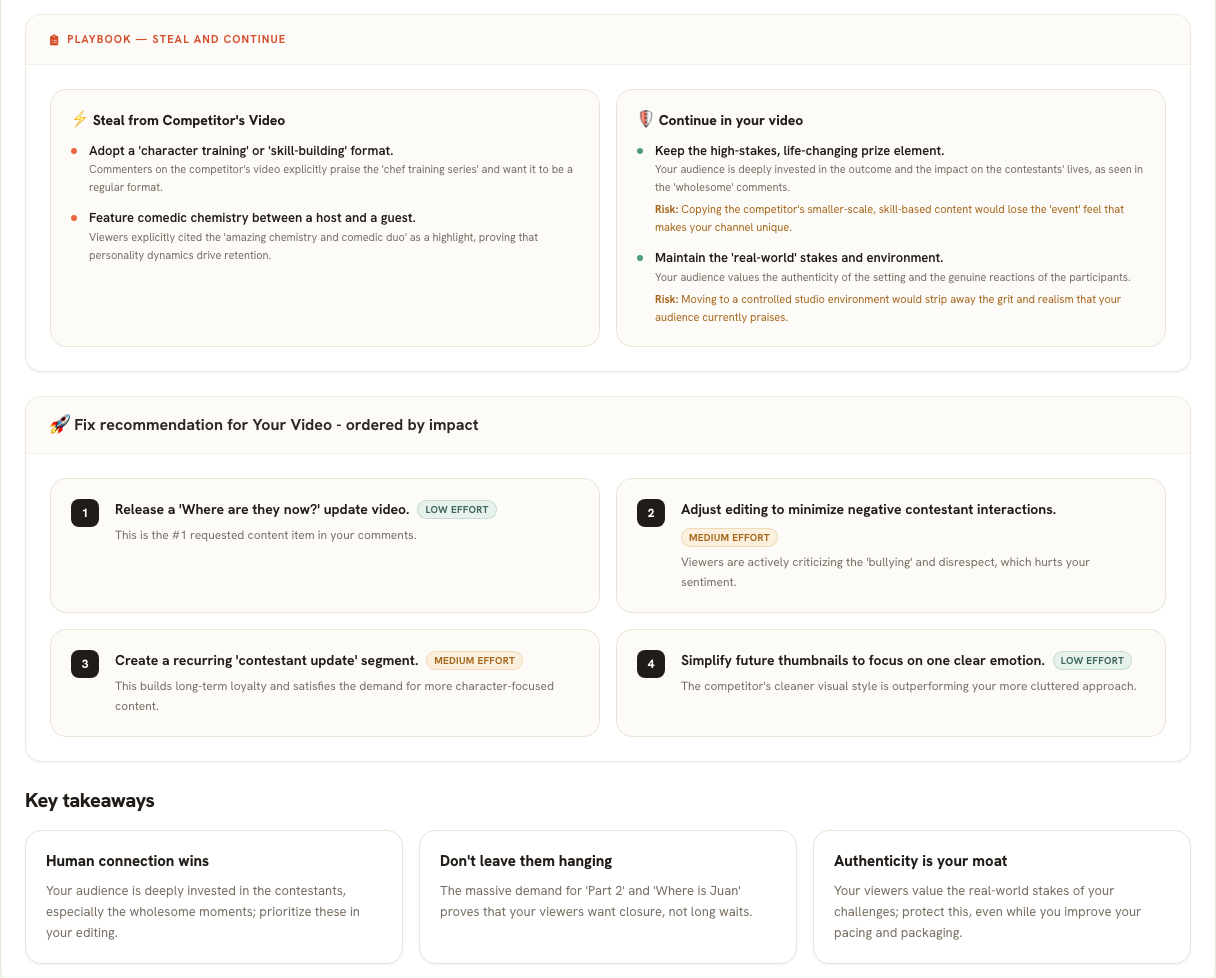
5. What to do next — What to take, what to protect, and the fixes ordered by impact.
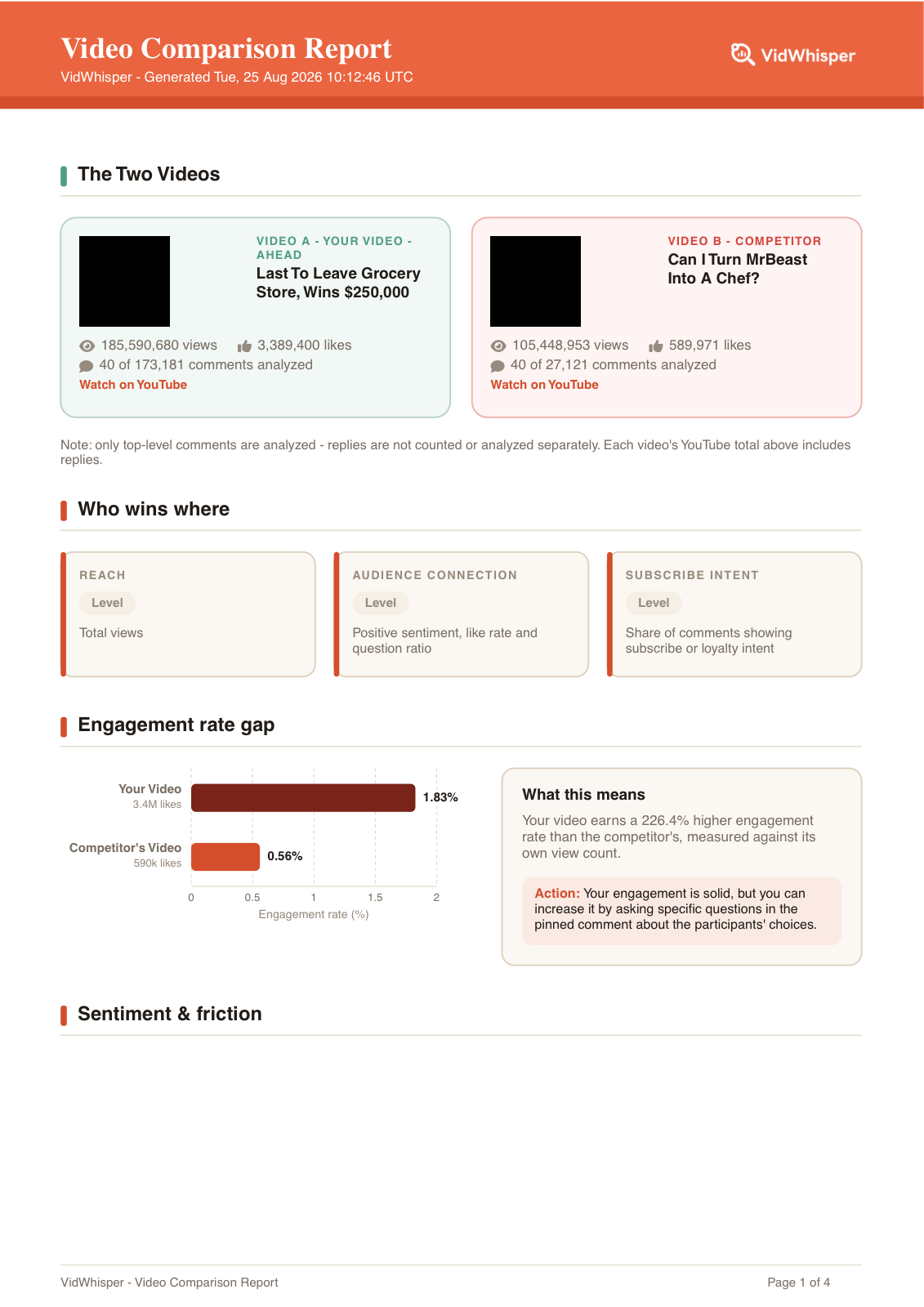
6. The comparison report — The whole comparison as a PDF. Costs no extra credit.
The video optimizer
Describe a video in your own words and the optimizer writes the whole listing in one pass: titles, a description, tags, hashtags and a best-fit category. One pass matters — fields written separately drift apart, and a listing that argues with itself is the problem this solves. Every field has its own copy button. Costs 1 credit.
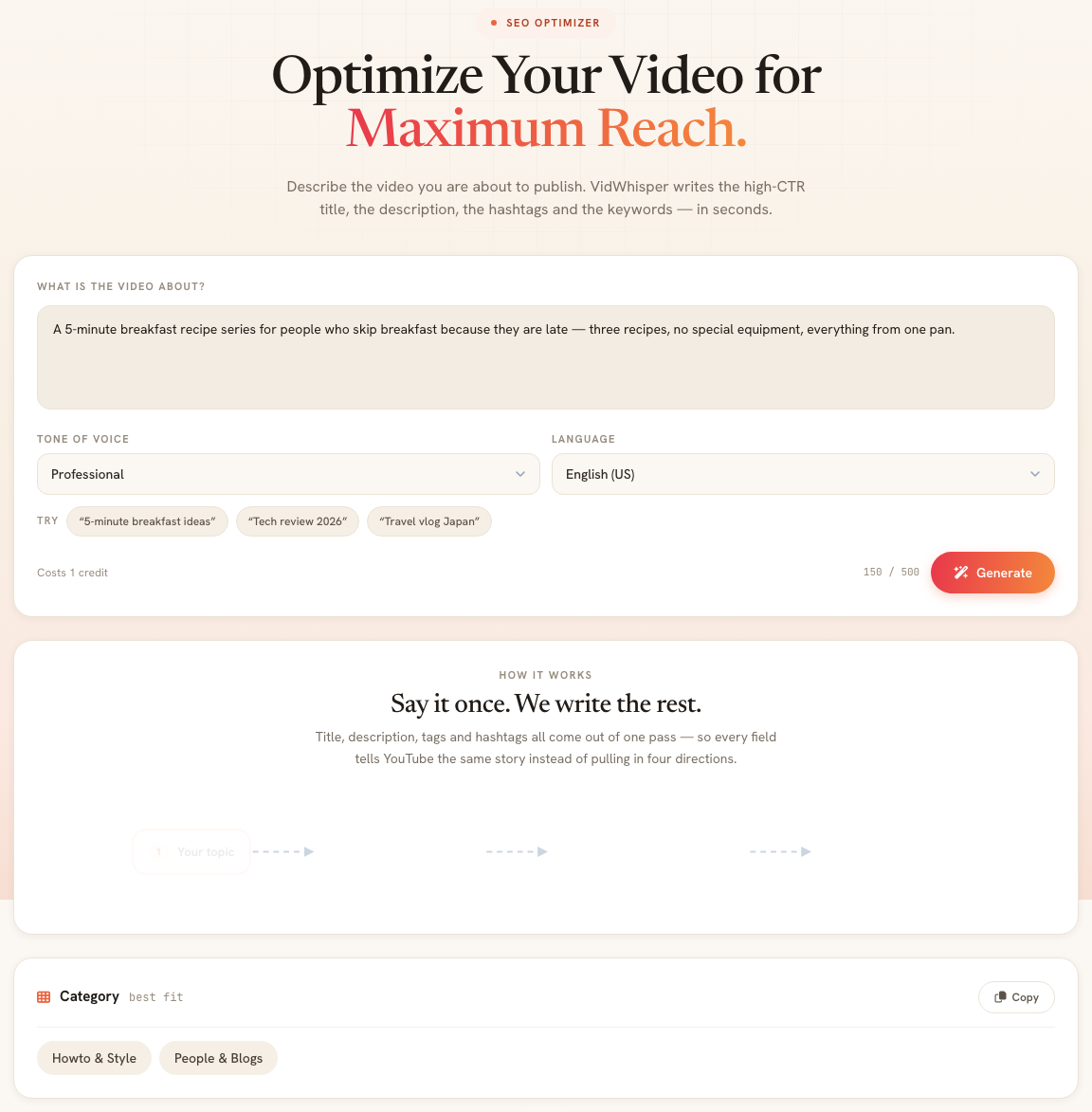
1. What you type — One sentence in, plus a tone and a language. Costs 1 credit.
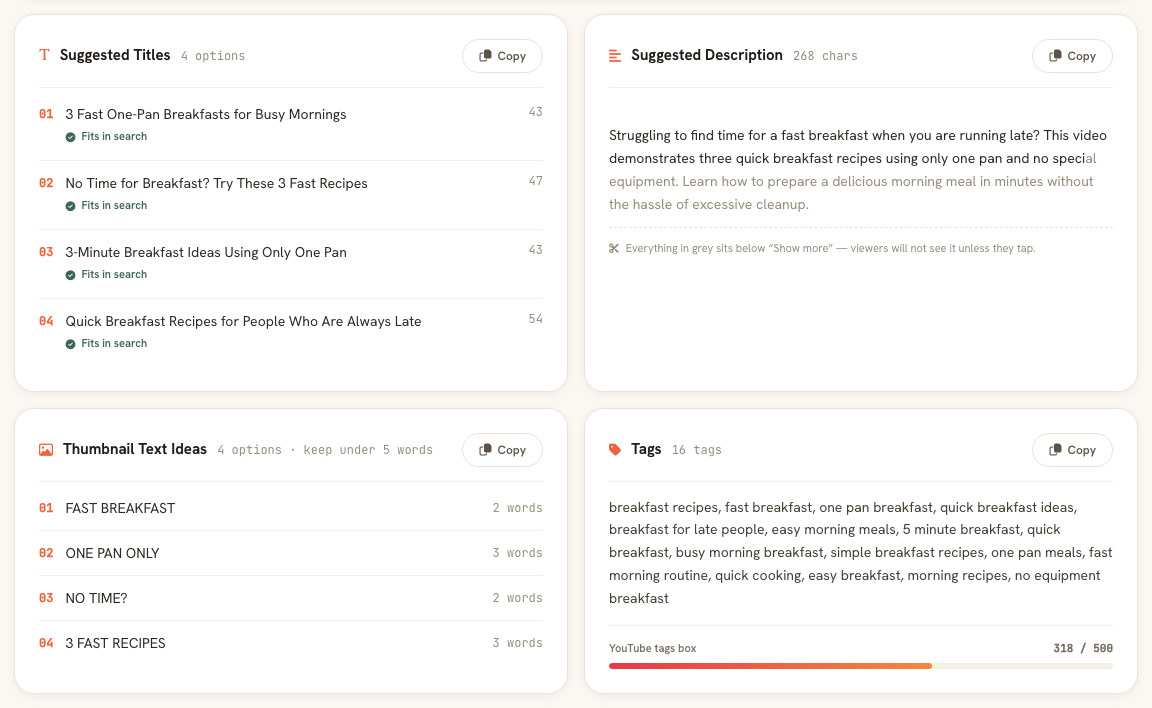
2. The listing — Titles, description, thumbnail text and tags — written in one pass.
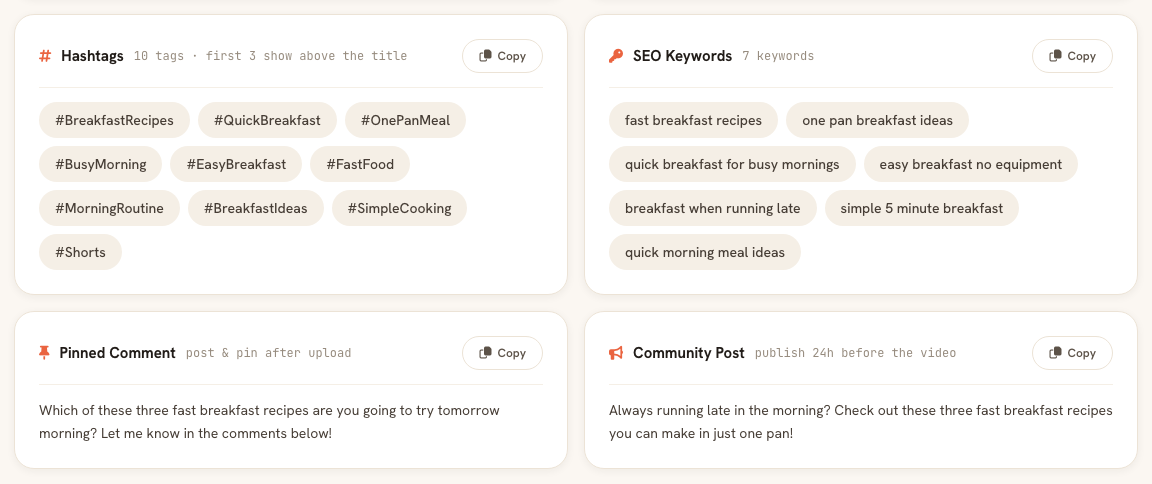
3. The extras — Hashtags, keywords, and the two posts that go around the upload.
Sponsored videos and the brand behind them
If a video is sponsored, VidWhisper says so and names the brand, then reports the campaign separately from your own feedback: what viewers said about the product, the objections that came up, and how much of the comment section was about the brand rather than about you.
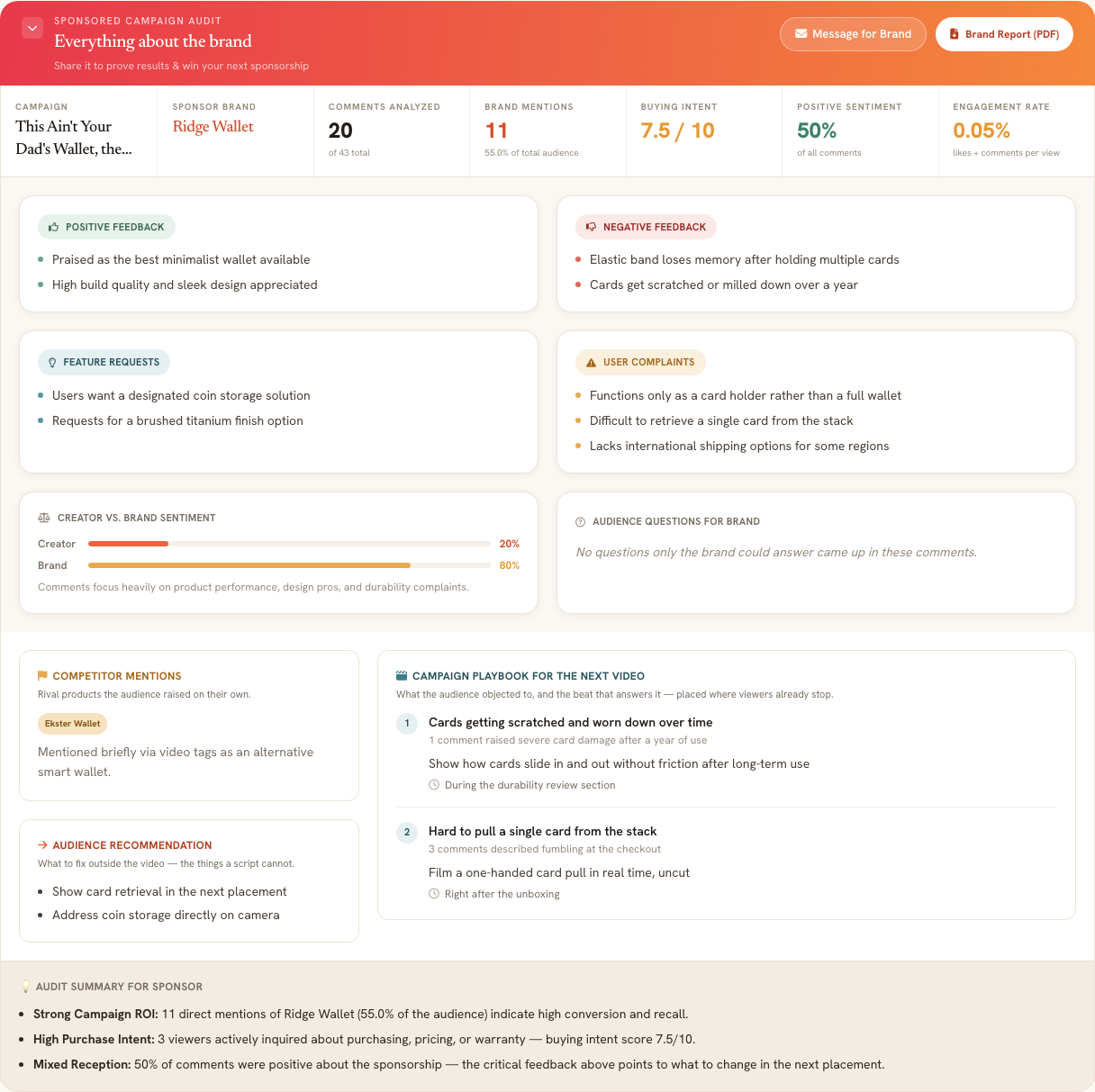
1. The campaign audit — Every number a sponsor asks for, taken from the comments rather than from a pitch deck.
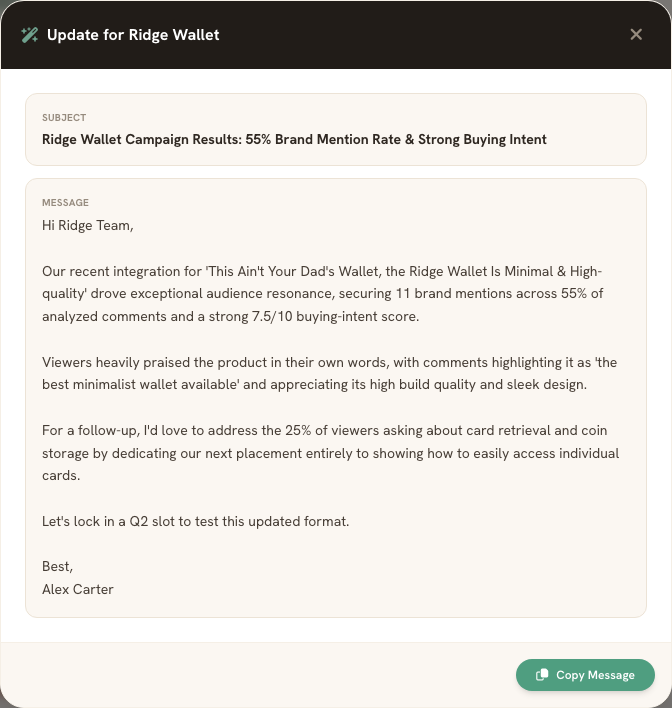
2. The message to the brand — A written update to the sponsor, quoting your own numbers. Yours to copy and send.
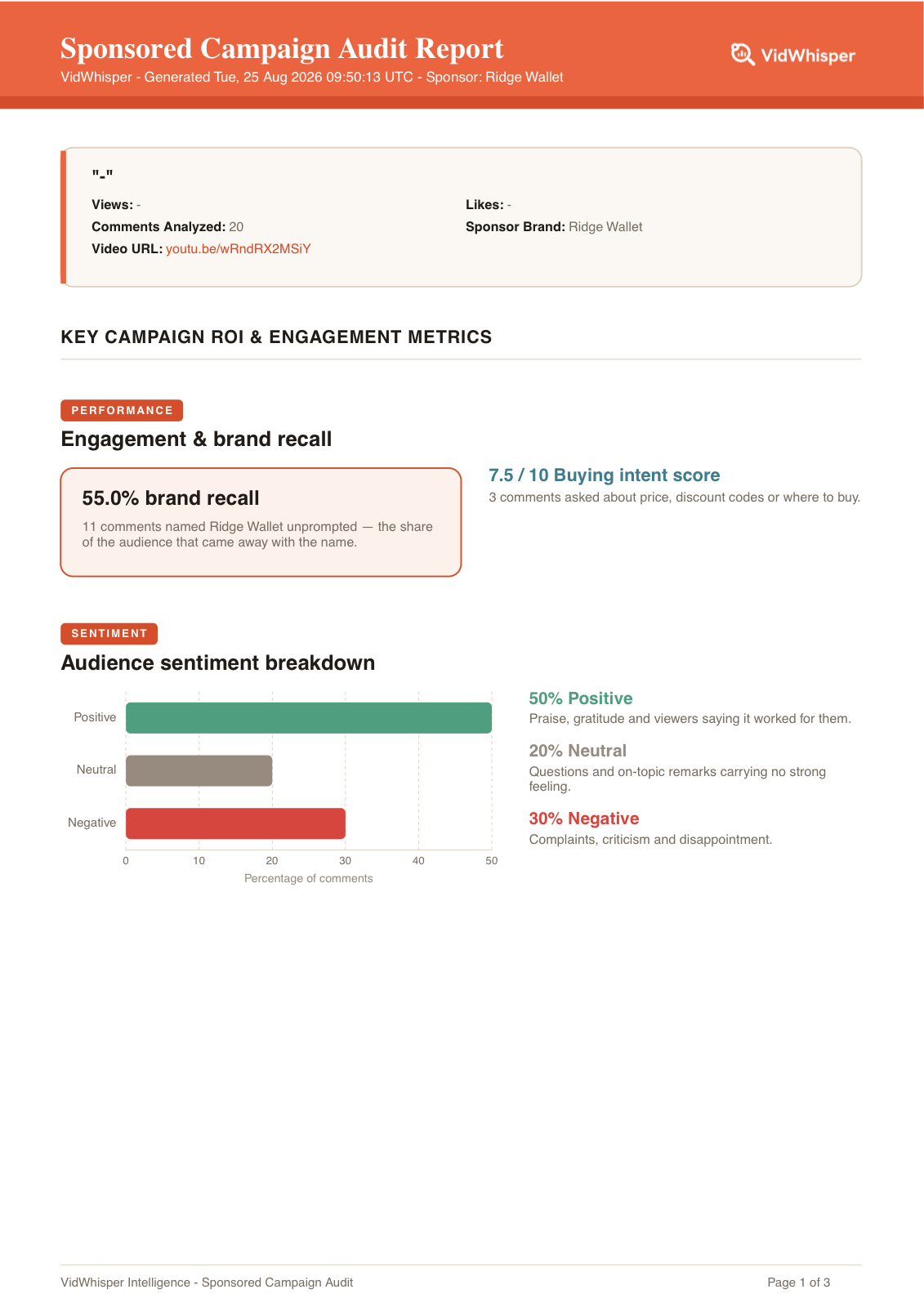
3. The brand report — The same audit as a PDF you can hand to the brand.
- Send Brand Update writes the sponsor a message built from that audit, for you to copy and send.
- A brand report PDF exports the same audit as a document you can attach.
Everything is one click from your clipboard
Nothing has to be retyped. Titles, descriptions, tags, keywords, hashtags, chapters, scripts and drafted replies each have a copy button beside them, and each copies in the format YouTube expects — so it pastes straight in.
Credits, and what each plan unlocks
A credit is one piece of work: a video insight costs 1, a two-video comparison costs 2, a run of the optimizer costs 1, a script costs 1. Work that fails is refunded. Every paid plan can be billed yearly.
| Free | Creator$9/mo | Pro$29/mo | Studio$99/mo | |
|---|---|---|---|---|
| Credits | 12 once | 150/month | 600/month | 2,000/month |
| Comments read per video | 100 | 400 | 1,000 | 2,000 |
| Full analysis, all seven tabs | Yes | Yes | Yes | Yes |
| Video comparison & optimizer | Yes | Yes | Yes | Yes |
| Suggested & drafted replies | Yes | Yes | Yes | Yes |
| PDF report export | Yes | Yes | Yes | Yes |
| Trending Now | No | Yes | Yes | Yes |
What a paid plan buys is volume, not features. The Free plan already does the seven tabs, the sponsored campaign audit, comparisons, the optimizer, drafted replies, PDF reports and the creator tools. What a paid plan adds is more credits, deeper comment analysis, and the one feature that costs real money to run every time it is opened: Trending Now, which reads YouTube's own chart live. A feature nobody on Free can reach is a feature nobody discovers, so the only thing held back is the one with a genuine per-use cost.
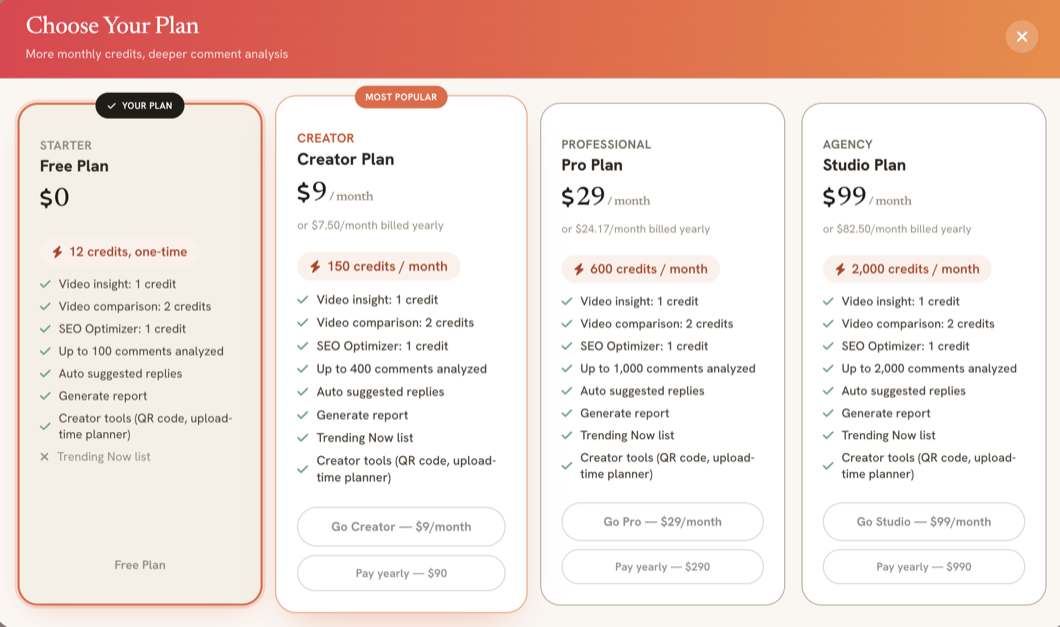
Creator, Pro and Studio differ only in volume. Pro is not a different product from Creator: it is 600 credits instead of 150, and 1,000 comments per video instead of 400. Choose on how many videos you analyse and how big their comment sections are, not on which features you get.
Trending Now
Trending Now is YouTube's own most-popular chart, read live and shown 25 videos at a time — and every one of them is one click from a full comment analysis. It is the shortest path from "what is working right now" to "why it is working". A paid-plan feature.
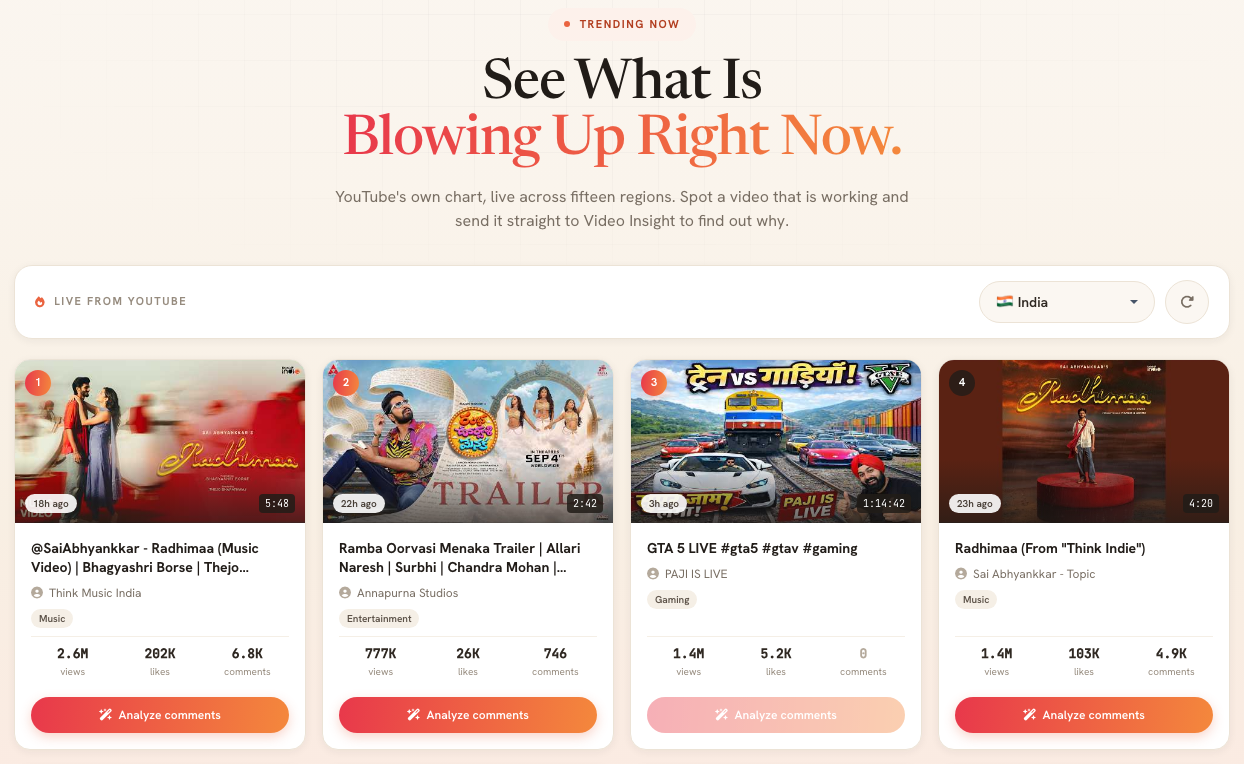
1. The live chart — YouTube’s own chart, live, with a region picker across fifteen countries.
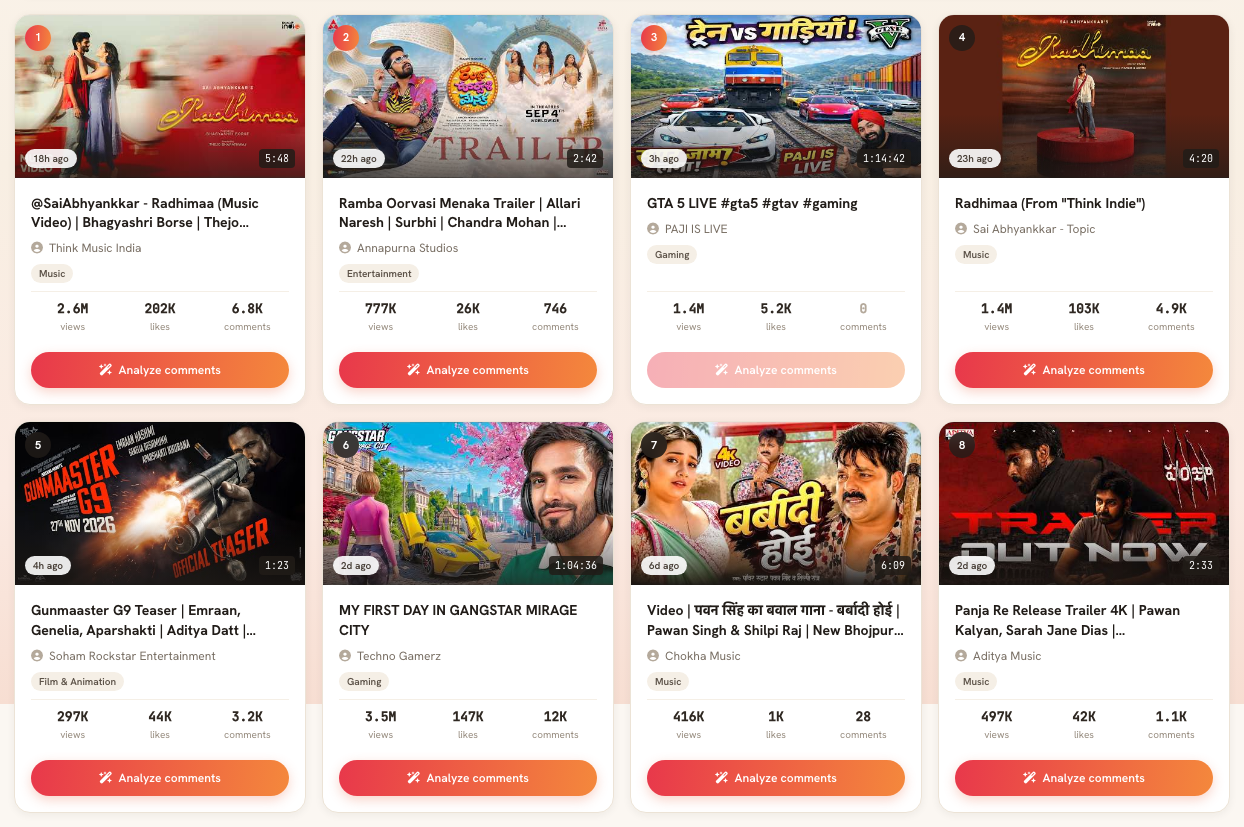
2. Straight into analysis — Every card is one click from a full comment analysis — and cards with no comments say so.
- Pick from 15 regions — India, the US, the UK, Canada, Australia, Brazil, Germany, France, Japan, South Korea, Mexico, Indonesia and more — so you can watch a market you do not publish in yet.
- Analyze comments on any card runs the full analysis on that video — no copying URLs, and it does not have to be yours. It costs the usual 1 credit.
Creator tools
Two small jobs that should not cost a credit, and do not. Both run entirely in your browser — nothing is uploaded, no analysis runs, and no credit is spent however many times you use them. They are on the paid plans because a paid plan should be worth more, not because they are expensive to serve.
- QR code — turns any link into a QR code you can put on a poster, a slide or a shelf, where there is nothing to click. The link never leaves your browser: the code is drawn in the page.
- Best Upload Time Calculator — "6pm my time" is a different hour for every audience, and twice a year it is a different hour again because someone's clocks moved. Enter your own wall-clock time and it reads that one instant back in each audience timezone, so daylight saving is handled by the platform rather than guessed at.
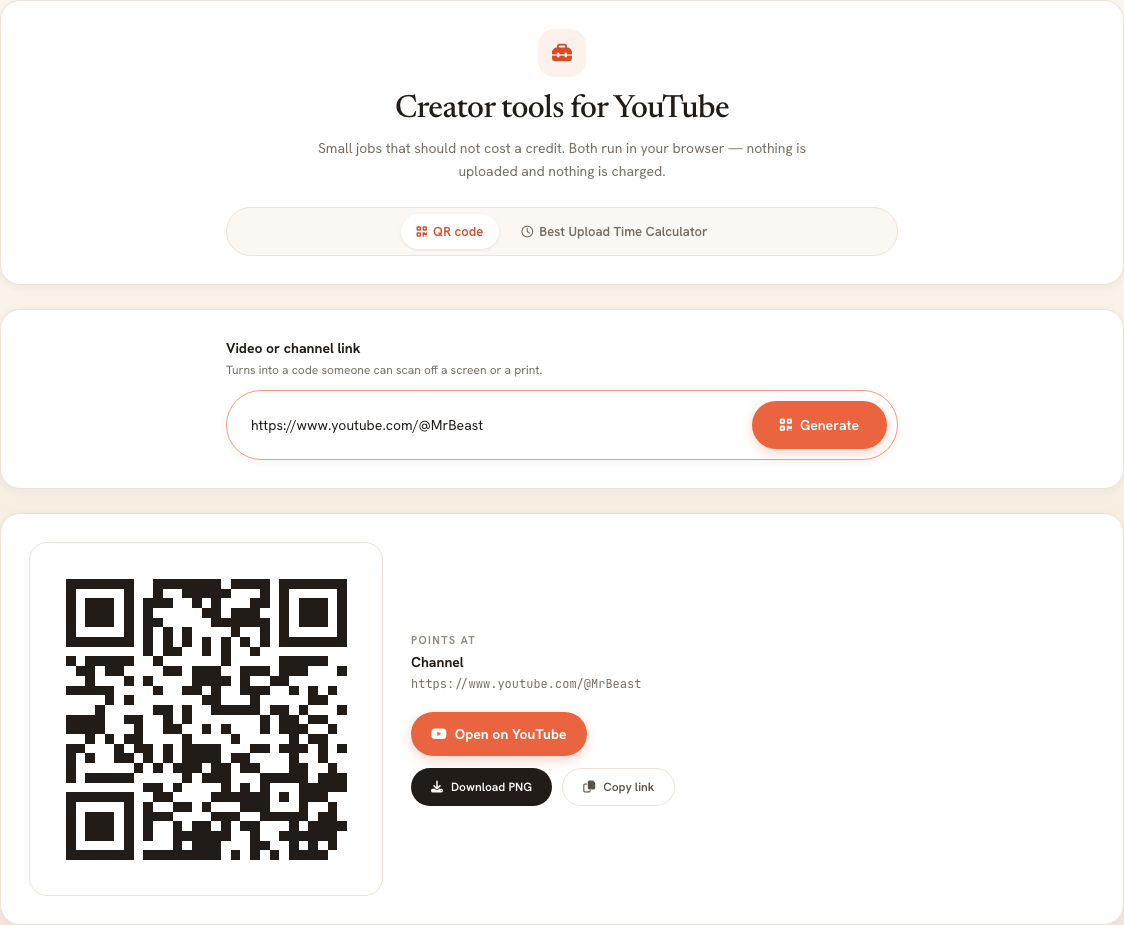
1. QR code — Drawn in the page. Nothing is uploaded and no credit is spent.
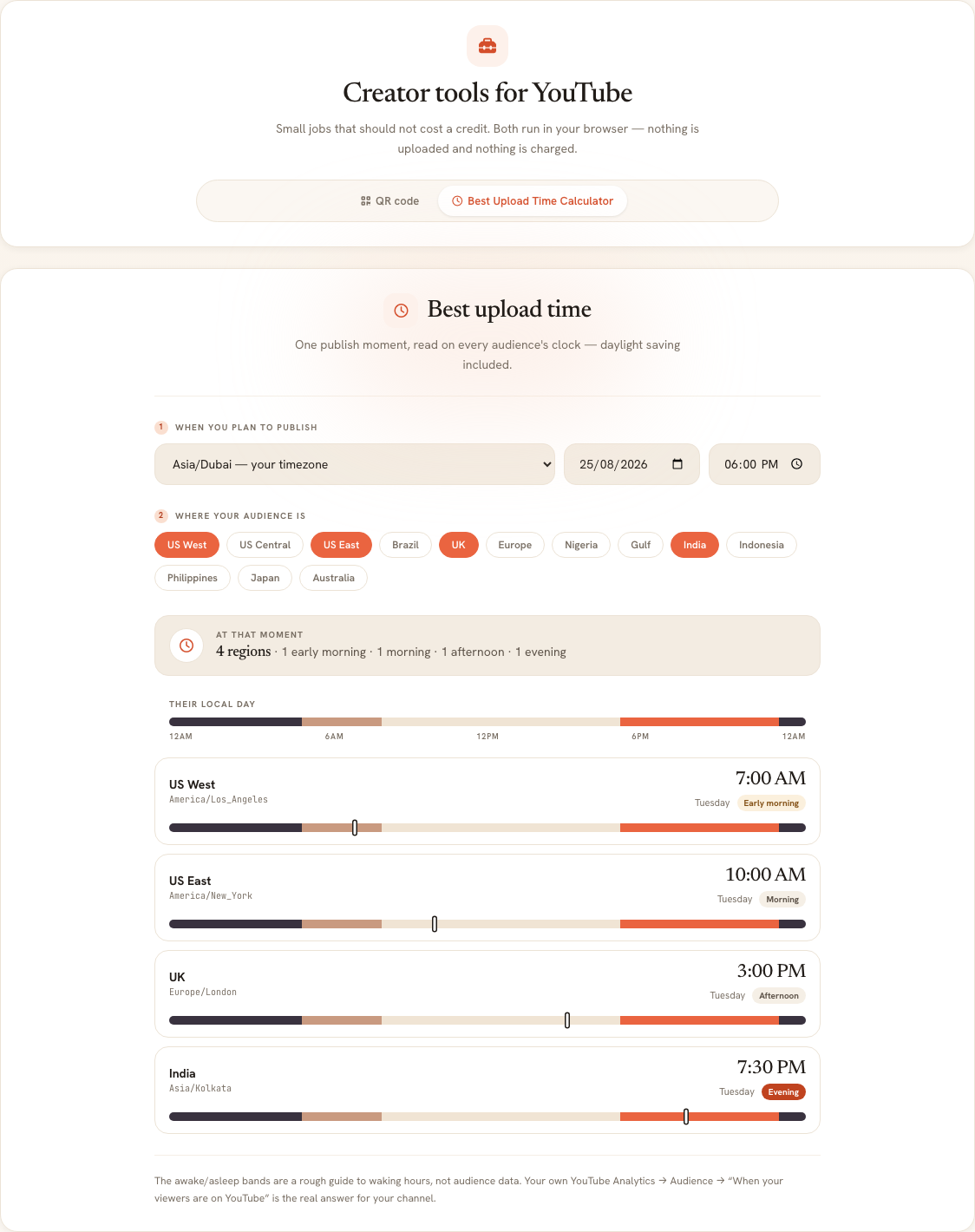
2. Best Upload Time — One instant, read back in every audience’s own clock.
Creator Leaderboard
A public board at /leaderboard where you pay to rank a video. It is advertising placement, not an editorial ranking: position is bought, and the order is simply the amount paid, highest first. It needs no account — anyone can list a video — and it is the one part of VidWhisper that is open to people who have never signed in.
- A listing is one video. You paste the video link, give it a title and a short description, pick a category and name your bid. There is no channel field: a different video is simply a different listing.
- Rank is that video's lifetime total. Every dollar bid on it keeps counting, so bidding again adds to its position rather than replacing it. Bids start at $1.
- One listing per video, enforced by the database. Bidding on a video that is already on the board adds to its total instead of creating a second row, so the same video can never appear twice.
- The title and description cannot be changed afterwards. They are set by the payment that creates the listing — not by you later, and not by anyone else who bids on it. The bid form says so before you pay, because a permanent typo is a bad thing to discover after the fact. There is no edit operation at all, which is what makes a listing safe from whoever bids on it next.
- Clicks are counted, publicly. Every visit goes through a redirect that counts it, de-duplicated to one per visitor per hour so the number cannot be inflated by refreshing. Search engines and AI crawlers are blocked from that redirect, so robots cannot run up what you paid for.
- Listed by YouTube category — Gaming, Music, People & Blogs, Education, Science & Technology and the rest — so a video ranks within its own field as well as overall. Payment is by Stripe, exactly as plans are, and bids are final and non-refundable.
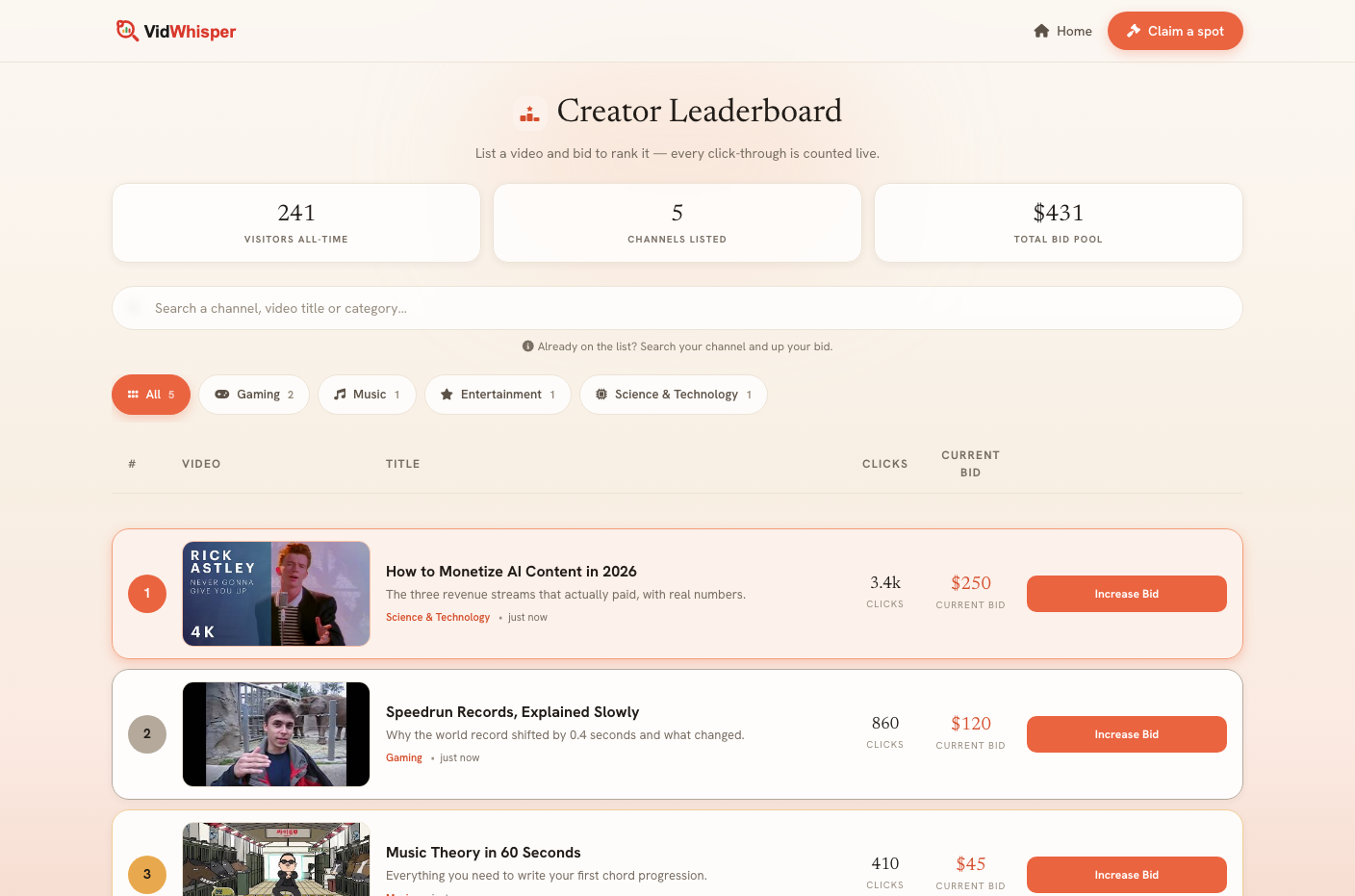
1. The board — Rank, video, title, clicks and current bid.
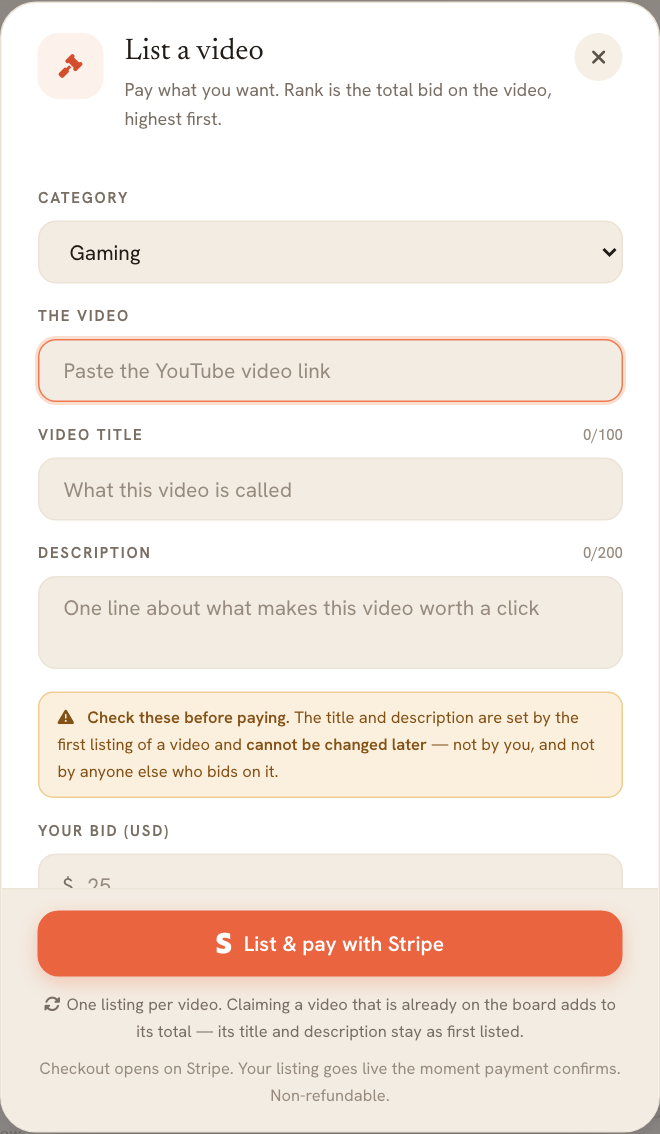
2. Listing a video — Payment is handled by Stripe. Bids are final.
Payments are handled by Stripe
VidWhisper does not take your card details. Upgrading hands you to Stripe Checkout, Stripe's own hosted payment page on Stripe's domain, and you come back here once it is done. Your card number never passes through VidWhisper and is never stored here.
- What VidWhisper keeps is two identifiers Stripe gives it — a customer ID and a subscription ID — so it knows which plan is yours. No card number, no expiry, no CVC, no billing address.
- Managing or cancelling a subscription opens Stripe's billing portal, again on Stripe's side, where your payment methods and invoices live.
- Plan changes reach VidWhisper as signed webhooks from Stripe, and a webhook whose signature does not verify is refused — so nobody can upgrade an account by forging a message.
- Monthly or yearly is chosen at checkout, and the price Stripe charges is the price this site shows, because both read the same plan catalogue.
- Stripe is a PCI Service Provider Level 1 payment processor. Card data is its responsibility, which is the point of not handling it here.
Your data
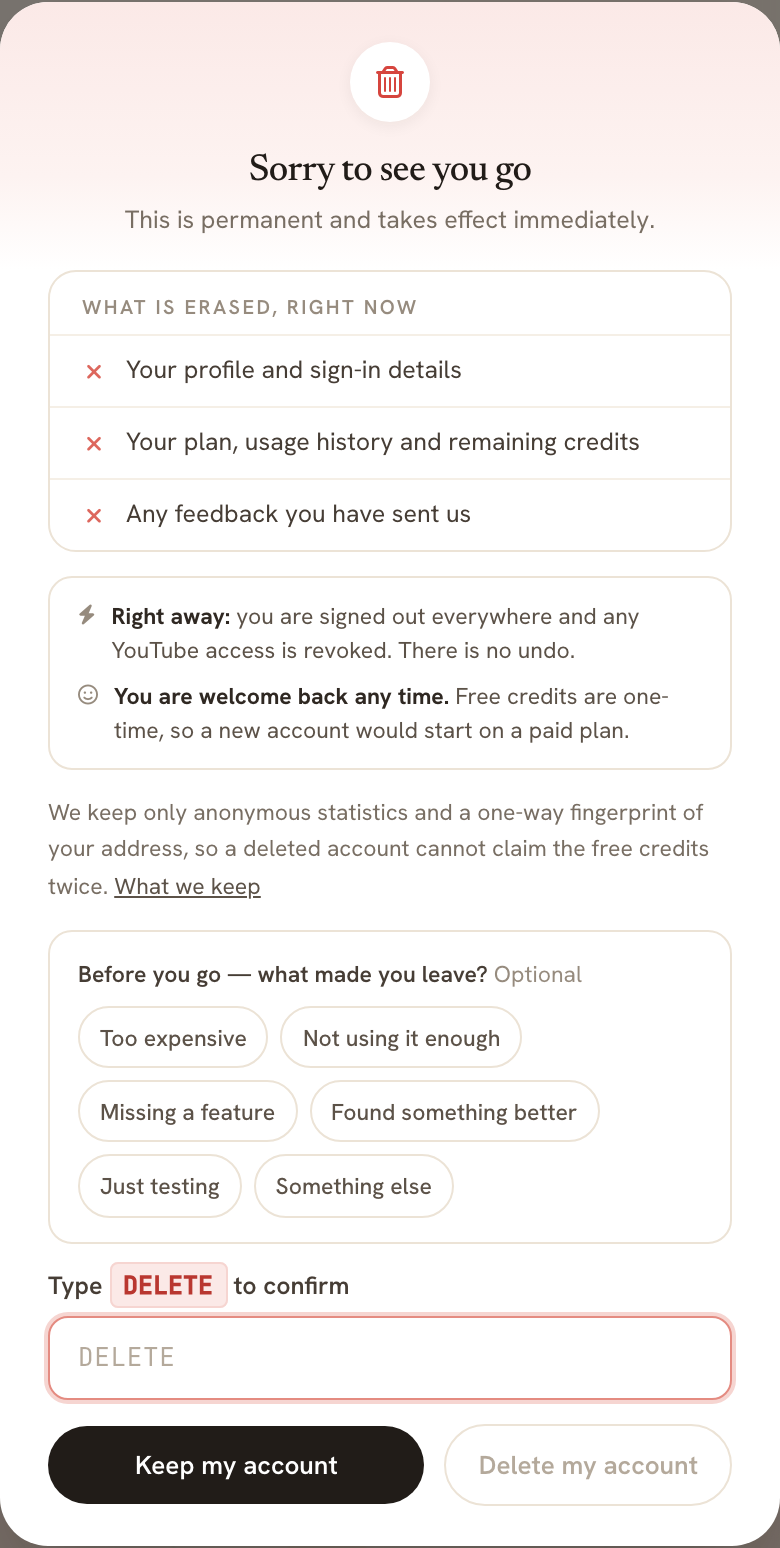
You can cancel a subscription at any time and keep access until the end of the period you paid for. Deleting your account erases it and its data in the same request, and signing in again afterwards starts a genuinely new account rather than restoring the old one.
- The delete screen lists exactly what goes: your profile and sign-in details, your plan, usage history and remaining credits, and any feedback you have sent. It takes effect immediately and there is no undo.
- You have to type DELETE to confirm, so it cannot happen on a stray click.
- What is kept is anonymous: counts, and a one-way fingerprint of your address so a deleted account cannot claim the free credits a second time. It cannot be turned back into an address.
- You are asked why you are leaving — six categories, no free-text box. It is optional and nothing about the Delete button waits on it. Categories only, deliberately: typed text can carry a name, and beside that fingerprint it would make an anonymous record identifiable again.
What VidWhisper does not do
Worth stating plainly, so nobody buys it expecting the wrong thing.
- It reads comments, not video. It does not watch, transcribe or download the video itself, so it cannot tell you about your pacing, your edit or your audio.
- It does not post anything to YouTube. Replies are drafted for you to send.
- It reads top-level comments up to your plan's cap, newest-weighted — not every reply in every thread.
- It is not a scheduler, an analytics dashboard or a moderation bot. It answers one question: what did the people who watched this actually say?
Still have a question? The FAQ answers the ten asked most often, or talk to the team.
Back to VidWhisper